2026-04-14
A philosophical and practical case for shifting from reactive workflow-building to intentional CRM system design. David introduces design thinking as the underlying methodology and the Waterfall Principle as the first architectural framework.

How design thinking produces revenue systems that last
Some things you encounter in the world and you immediately know that someone thought deeply before they built it. You can feel it.
It could be a mechanical watch. Pull back the case and you see hundreds of components working in concert, each one placed with extraordinary precision. It could be a bridge spanning a canyon, carrying loads that would seem impossible if you didn't understand the engineering underneath. In both cases, the design serves two purposes at once: it makes the thing beautiful, and it makes it actually work.
Here's the question I want to ask you: Is that how you feel when you look at your CRM?
Whether you're running HubSpot, Salesforce, or something else entirely, CRM architecture (the intentional design of your revenue system) is what separates the instances that were designed from ones that were simply built.
I've built some messes of my own. I still do sometimes. But over the years, working across dozens of HubSpot instances (one with 700+ active workflows), I've come to believe that the difference between systems that scale and systems that suffocate comes down to one thing: whether someone stopped to design before they started building.
I've come to believe that the difference between systems that scale and systems that suffocate comes down to one thing: whether someone stopped to design before they started building.
We have a game in my family. I have six kids, and my three younger ones love Legos. We have Legos everywhere. The game is simple: everyone grabs a handful of random pieces from the box, sets a timer for five minutes, and builds something with whatever they grabbed. Then (naturally) the kids want Mom to judge. She somehow always figures out which one is mine and rates me poorly.
But the point of the game isn't to build something great. You can't. You're working with random pieces, no plan, no picture on the box. You're just responding to what's in front of you.
That's building.
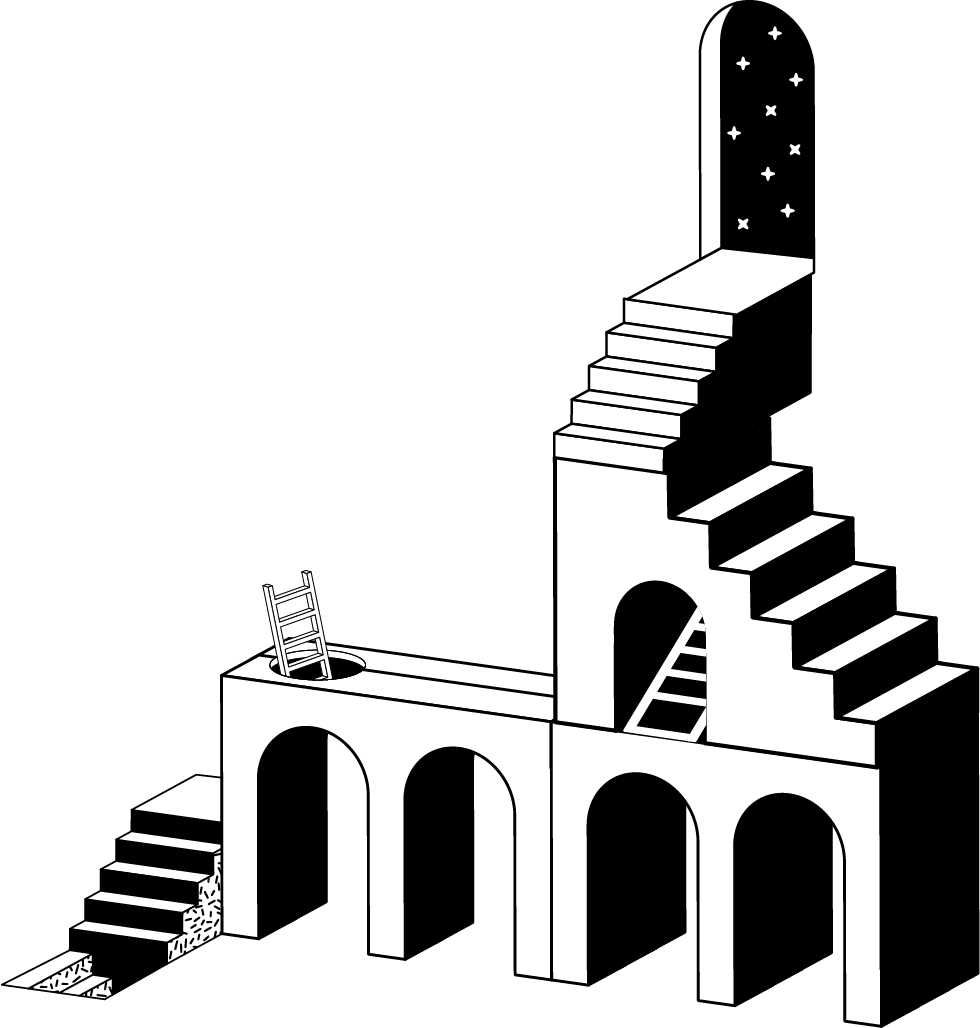
Now compare that to what happens when you open a real Lego set. You have a picture of the finished product. You have specific pieces, selected for a purpose. You have step-by-step instructions that account for the whole structure before you snap anything together. That's designing.
There's a meaningful difference between the two. Building is responding to what's in front of you. A form needs a workflow. A sequence needs to stop. A lead needs to be created. Each decision feels reasonable in the moment. Each shortcut feels justified. That's building.
Most CRM instances I've seen weren't designed and CRM architecture was never part of the conversation. They were built. And not because the people building them were bad at their jobs. Usually they're very good at their jobs. But they were handed a ticket, a deadline, and a sales rep who needed something yesterday. So they built something. Then they built the next thing. Then the next. And eventually, they looked at the system and it was a tangle of workflows built on top of workflows, properties named three different ways, and logic that nobody fully understood.
Every shortcut in a system is a decision with consequences. And those consequences usually don't show up until much later.
When you're building a small Lego tower with a handful of pieces, the grab-and-build approach works fine. You'll get something. But when you need to build a large, load-bearing structure? Design isn't optional.
The same is true with your CRM. When you have dozens or hundreds of lead sources, multiple integrations, and several teams all touching the same data, every shortcut compounds. You can't just add another property or another workflow to solve all your problems. You actually have to go back to the drawing board and start designing.
And then there's the enterprise challenge. In many organizations, you don't just have one team building in the system. You have marketing building their piece, sales building theirs, and customer success building a completely separate structure. Three teams, three sets of Lego buildings, supposedly part of the same city. But the pathways don't connect. The definitions don't match. A lead in marketing's world isn't the same as a lead in sales' world.
You end up with three buildings that don't quite line up. And in so many companies, nobody was asked to be the person who sees across those boundaries and designs the whole thing.
The architect's role — whether that's you, your RevOps team, or your consultant — is to own the CRM architecture: to see across departmental boundaries and design infrastructure that the entire organization operates from. Not just one team's piece.
I want to encourage you to adopt an architect's mindset. We're not just building workflows. We're building systems. So how do we actually do that?
I'd love to tell you I read some brilliant book on design methodology and it transformed my practice. The truth is more humble than that. When I started researching for a presentation on this topic, I discovered that what I'd been doing intuitively for years had a name. It's called design thinking, and it has roots going back to Stanford in the 1960s.
The framework has five steps. They're simple. You probably know them already in some form. But the discipline of actually following them, in order, before touching your CRM, is what separates systems that last from systems that tangle.
This is genuine curiosity: a real desire to understand the why before touching anything.
Start with the customer. What should their journey actually look like? If someone fills out a demo form on your website, what should happen next? Not what does happen, but what should happen? When the system has gaps in that journey, the customer feels it. They get the wrong email. They get called twice. They fall through a crack between teams.
Then go to the organization. What does each team actually need from this system? What questions does leadership need answered? What actions do sales reps need to perform, and what information do they need to perform them? Most of the time, nobody sits down and asks all the teams what they actually need. Marketing built their piece, sales built theirs, and nobody connected the dots. The architect's job is to understand all of those needs before building out the workflows.
Discovery is essential. We ask questions, ponder the answers then ask a few more. We want to understand the full picture before we start building (or rebuilding).
Frame the problem. What are we actually solving? What are our definitions? What constitutes the start of a funnel versus the end of one? What does each lifecycle stage mean? What's the difference between a Marketing Qualified Lead and a Sales Qualified Lead in your world, specifically? Get these on paper, agreed upon, before you build.
Shared definitions and clear stages prevent the kind of drift that turns systems into tangles. When everyone is working from the same blueprint, the building holds together.
Only now, after you've understood who you're designing for and named what the system needs to achieve, should you start generating solutions. There are so many ways to solve any given problem in a CRM. This is where you explore them, challenge them, and compare approaches before committing to one.
Now you build. Push the ideas into reality. But you're building with a blueprint in hand, not grabbing random Legos.
Does it actually work as intended? I'll be honest: I have failed at this step more times than I care to admit. I'm like an electrician who never turns the power off. I build something, ship it, and then come back weeks or months later to discover the enrollment criteria wasn't doing what I thought. There was one build I came back to a full year later and realized it had never actually worked.
One of the best habits we've developed at Levver is simple: every project gets a dedicated task to build a report and test after launch. Build observability into the process from the start. Set up Slack notifications for failures. Add contacts to an error list when things break. Make the system tell you when something isn't working.

Here's the thing most HubSpot builders get wrong: they skip straight to steps 3 and 4. Ideate and Prototype. There's a ticket open, a deadline looming, a sales rep waiting. The earlier stages feel like delay. But Empathize and Define are where the real leverage is.
Skipping steps doesn't save time. It borrows it. You'll pay it back later with interest, in the form of debugging sessions, misrouted leads, inconsistent data, and systems that can't scale when you need them to.
I want to name something that I think is at the root of most system problems.
The reason most CRM instances are tangled isn't a workflow problem. It's a role-definition problem. Nobody was given the mandate to be the architect. Everyone was given tickets. Everyone was asked to fix things. And when everyone's fixing, nobody's designing.
The fixer sees a broken thing and fixes it. The architect sees a system and designs for it. Both get things done. Only one compounds.
RevOps is reliant on CRM architecture — and if you're in a RevOps role, that mandate belongs to you. If your organization doesn't have someone in that role (someone who sees across all the teams and all the tools and designs the whole system), I'd encourage you to take it on. Be the architect.
This is also why I think HubSpot audits, performed in isolation, miss the point. An audit evaluates the build. But if nobody designed the building, what exactly are you auditing? You're grading the Lego creation without knowing what it was supposed to be.
Make the system tell you when something isn't working.
We defined a simple set of lead stages: New, Attempting, Connected, Disqualified. Anyone in the New or Attempting bucket gets emails and calls. The moment someone moves to Connected or Disqualified, everything stops. Both the sequencer and the dialer are just watching one state to know what to do.
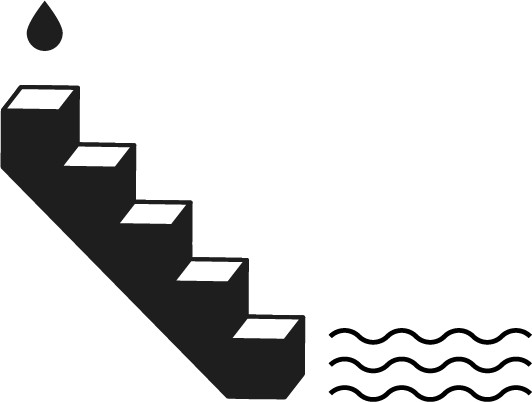
Let me get practical. I want to introduce what I call the Waterfall Principle, and it's the first of several design principles I use when building revenue systems. (We'll cover more in Part 2.)
The idea is simple: think about your workflows like water flowing down a waterfall.
Water doesn't skip steps. Pour it into a system and gravity does the work. It flows continuously from top to bottom through every connected path until it reaches the end. There are no gaps. There are no shortcuts. The physics won't allow it.
When you build your workflows and processes, I want you to visualize them the same way. If your workflows were plumbing, every entry point would flow continuously to an exit. And every gap in the logic would announce itself immediately, because the water would stop flowing and you'd see exactly where it pooled.
The problem is that many workflows are designed in a way that physics wouldn't actually support. You have one workflow that goes partway, then a second workflow with a separate enrollment trigger, hoping the contact will somehow transfer between them. Maybe there's a delay in one workflow, praying that another workflow fires in time to set the right property before the branch evaluates. There's no causal connection. It's two separate pipes with a gap between them.
Let's say you have a demo request form. Here's how it often gets built (the wrong way):
Workflow 1 triggers on form submission, adds a 5-minute delay, then routes to sales reps based on territory. Workflow 2 triggers on contact creation and tags the sales territory based on country. Workflow 3 is a master workflow that tags all demo form submissions as marketing contacts.
Three separate workflows. Three separate triggers. You're hoping Workflow 2 finishes before the 5-minute delay in Workflow 1 expires. You're hoping Workflow 3 fires at all. If you were pouring water through this system, it would leak everywhere.
The correct approach: One trigger. One continuous flow. The demo form fires a single workflow (or a connected chain of workflows). First it tags the sales territory. Only after that completes does it branch by territory to route to the right rep. Then it flows to a processor that handles the marketing contact tag. The water pours in at the top and flows all the way through. No gaps. No prayers.
This is one of the core HubSpot workflow best practices we apply on every build: one trigger, one continuous chain of logic, no gaps between pipes.
A note: this doesn't mean everything has to be one literal workflow in HubSpot. It can be a series of connected workflows. The key is that they operate in series, with causal connections between them. One step triggers the next. The water never stops.
I want to share one more example because it illustrates the Waterfall Principle's power across multiple tools.
We recently built an outbound program for a company that uses three systems: HubSpot as the CRM, Unify as a cold email sequencer, and Orum as a power dialer. Three systems, one contact. You could build custom fields, lists, and start/stop logic for each system separately. Three sets of pipes that never connect.
Or you could align all three systems around a central state.
We defined a simple set of lead stages: New, Attempting, Connected, Disqualified. Anyone in the New or Attempting bucket gets emails and calls. The moment someone moves to Connected or Disqualified, everything stops. Both the sequencer and the dialer are just watching one state to know what to do.
That's the Waterfall Principle applied across an entire tool ecosystem. One state. One flow of logic. No orphaned workflows hoping another system did its job.
Next time you're about to build a workflow, pause and ask yourself: if this were a pipe, where is the water entering? Does it flow all the way through to an exit? Where are the gaps? Where does it pool? If you can't trace the path from top to bottom, you might be creating a gap that will cost you later.
Building something with intentional design isn't just about elegance. Architecture produces outcomes that matter to every stakeholder in the organization.
Consistent data for reporting. When every lead source is tagged the same way, when every status is assigned through the same logic, when every field is populated through the same processor, your reports are trustworthy. Leadership can make decisions based on data that actually reflects reality. If all your leads are showing as coming from events and none from SEO, you know where to invest. But only if the data is consistent.
A cohesive customer journey. When the system follows a predictable path, the customer has a predictable experience. They get the right email at the right time. They don't get called after they've already been qualified. They don't fall through cracks between teams.
The ability to scale. What happens when you suddenly add a new product line? Are you going to build eighteen new form workflows that each repeat the same logic? Or are you going to plug new entry points into existing processors? Architecture is what lets you scale without rebuilding from scratch.
The ability to adapt. Systems break. They're meant to, because that's how they grow. But a system designed with architecture breaks in visible, fixable ways. You know where to look. You know what to change. It's not a black box. It's something you can tailor and alter with confidence.
The result is a system that is auditable (you can see what it does), maintainable (you can change it without fear), and teachable (anyone can learn it from the map.
Maybe you picked up this article as someone who builds workflows. I want you to put it down as someone who designs systems.
Design thinking is the bridge between those two identities. It's not a complicated methodology. It's a commitment to slow down long enough to see the whole before you build any of the parts.
I'd been mapping out individual processes for years, first in Visio, then in Lucidchart. Specific flows, specific interactions. I was good at it. But it was always one process at a time. One wire, one connection.
Then I took on a project that forced me to work across multiple objects: contacts, deals, companies, tickets. We were building onboarding pipelines and fulfillment tracking and the whole customer lifecycle in one system. And for the first time, I pulled back and designed the entire system on one canvas. All the objects. All the flows. How they all connected.
That was my moment. I wasn't designing a bunch of individual processes. I was designing a system to work with itself. That's a different mindset entirely. And it produced something I could zoom out on, navigate through, and hand to someone else with confidence that they'd understand it.
You can only do this well if you do great discovery first. Understand the whole before you touch any of the parts.
In Part 2, we'll go deeper into the practical architecture. I'll introduce the concepts of Ingestors, Processors, and Responding to State: a framework for how to structure your actual workflows so that every piece of the system has a clear role, a clear input, and a clear output. If Part 1 was about the mindset, Part 2 is about the mechanics.
David Askvig is a Managing Partner at Levver, a Go-to-Market and Revenue Operations consultancy and HubSpot Platinum Partner. He is the firm's CRM architect and spends most of his time inside complex HubSpot instances designing revenue systems that scale.
This is a Textbook entry. Practical, grounded, designed to be referenced and reused. If it changes how you see your next build, that's the point.
You can only do this well if you do great discovery first. Understand the whole before you touch any of the parts.

In moments of expansion